A Companion Plan lets your smartwatch share your mobile number, so you can take calls, send texts and stay connected without your phone nearby. There’s no physical SIM or manual setup required. Follow the steps for your watch below. It only takes a few minutes.
Before you start
You’ll need:
- Your phone, with your smartwatch already paired to it
- Your Goodtel mobile number
- Your Companion Plan PIN
Where do I find my Companion Plan PIN?
Your PIN is in the Goodtel portal, next to your mobile number. Log in, open the mobile service you’re connecting your watch to, and go to More Actions. You’ll see your Smartwatch PIN number there.
It’s the same PIN for every mobile on your Goodtel account, whichever number you’re connecting a smartwatch to. Keep it private, as it links your watch to your service.
Already using your watch with another provider?
Remove their plan from your watch first (Galaxy Wearable app, then Watch settings, then Mobile plans). Your Goodtel plan can't connect until the old one is removed.
Apple Watch
- Open the Watch app on your iPhone.
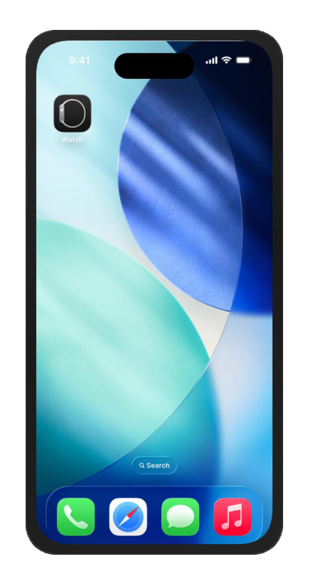
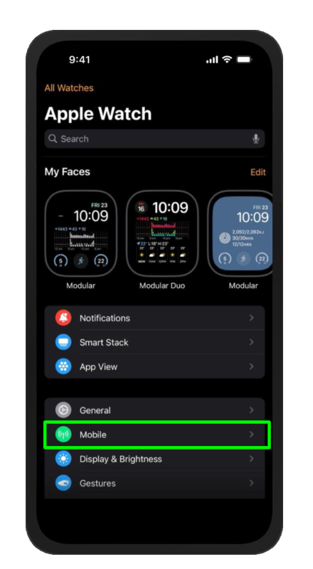
- Go to Mobile. In the Watch app, select Mobile from the menu.
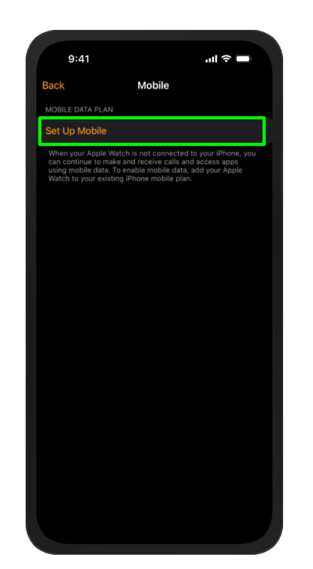
- Select Set Up Mobile. Tap ‘Set Up Mobile’ to start connecting your Apple Watch.
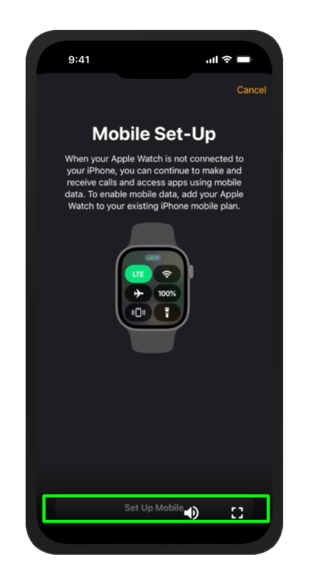
- Tap Set Up Mobile Plan. Tap ‘Set Up Mobile’ at the bottom of the screen to continue.
- Tap Connect. Read the details, then tap ‘Connect’ to start linking your Apple Watch to your phone.
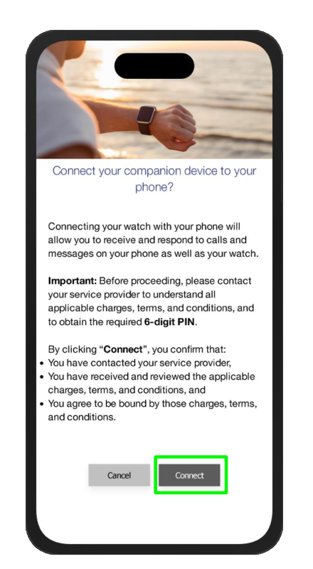
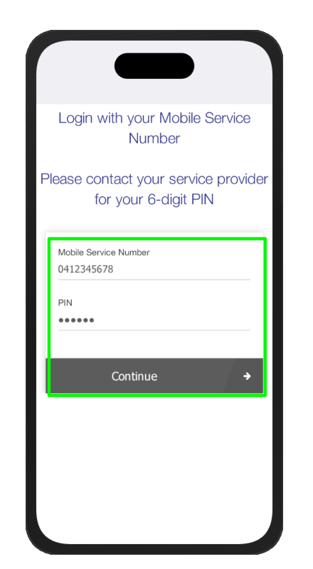
- Enter your mobile number and Companion Plan PIN. Use the PIN from the portal, then tap ‘Continue’.
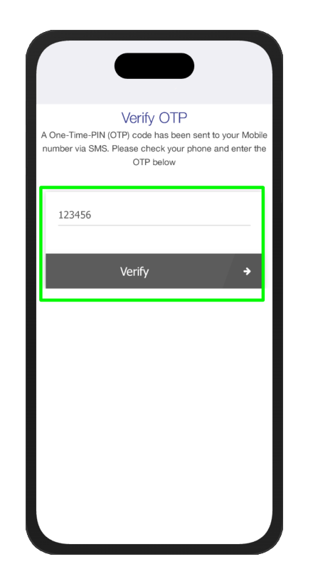
- Enter the verification code. We’ll text a one-time code to your mobile number. Enter it and tap ‘Verify’.
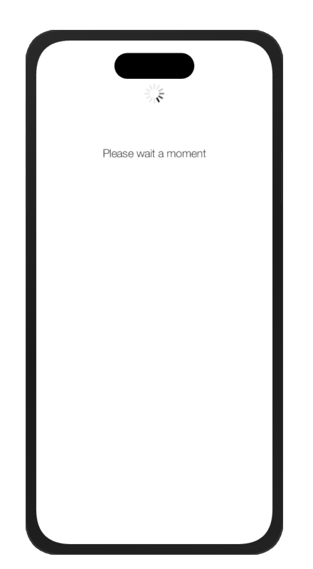
- Wait a moment. We’re connecting your Apple Watch. This should only take a few moments.
- Accept and add your device. Review the subscription details, then tap ‘Accept & add device’.
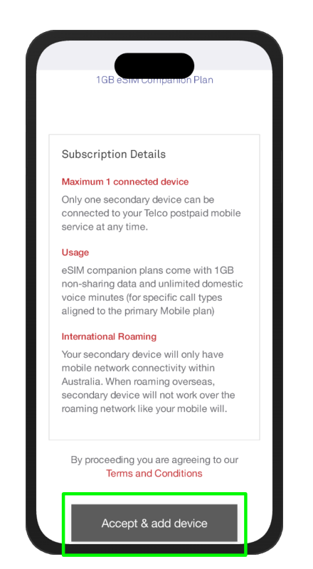
- You’re all set! When you see the confirmation screen, your Apple Watch is connected
Samsung Galaxy Watch
- Open the Galaxy Wearable app on your Samsung phone.
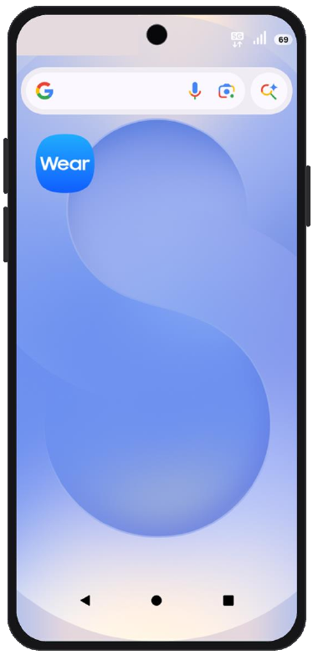
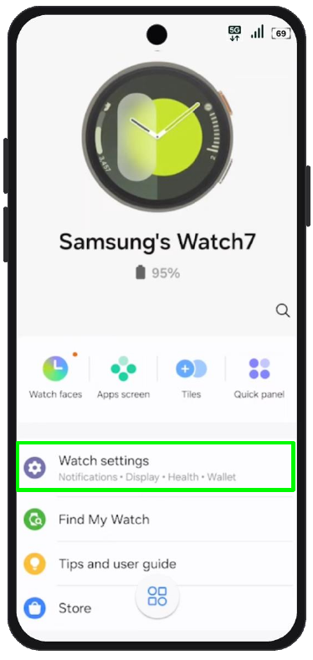
- Go to Watch settings. Tap ‘Watch settings’.
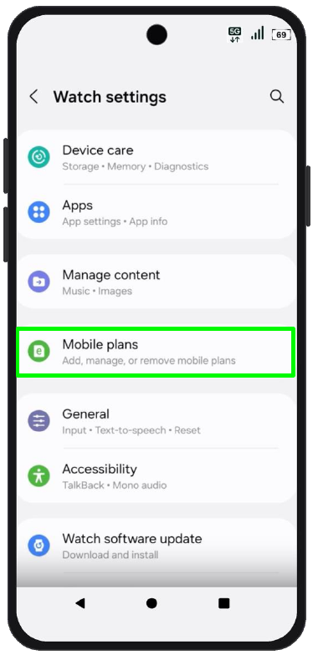
- Go to Mobile plans. Tap ‘Mobile plans’ to start connecting your Galaxy Watch.
- Tap Next. On the ‘Set up a mobile plan’ screen, tap ‘Next’ to continue.
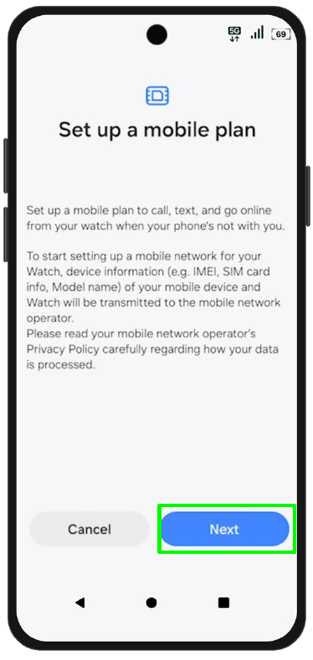
- Tap Connect. Read the details, then tap ‘Connect’ to start linking your Galaxy Watch to your phone.
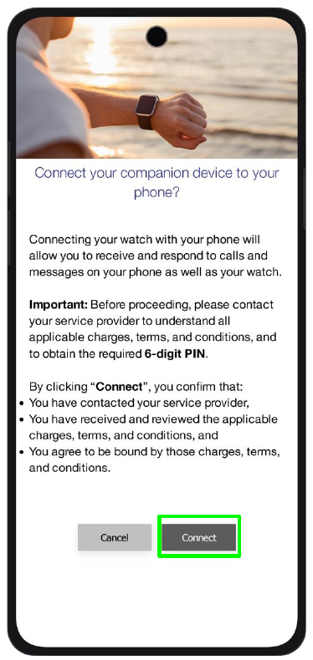
- Enter your mobile number and Companion Plan PIN. Use the PIN from the portal, then tap ‘Continue’.
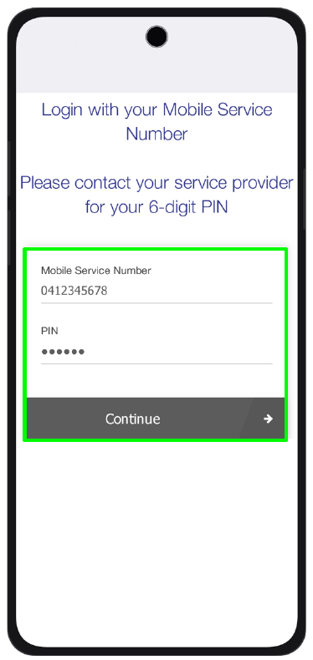
- Enter the verification code. We’ll text a one-time code to your mobile number. Enter it and tap ‘Verify’.
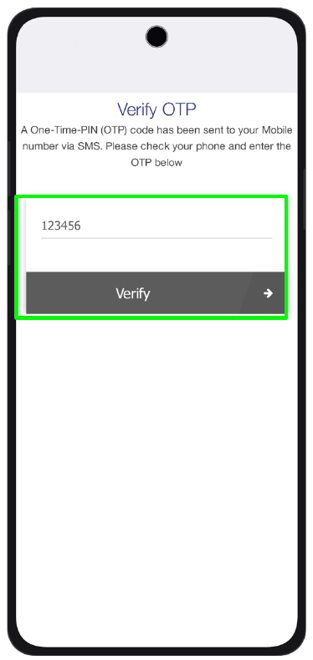
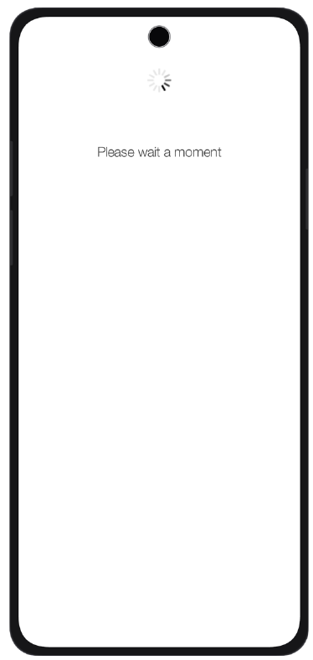
- Wait a moment. We’re connecting your Galaxy Watch. This should only take a few moments.
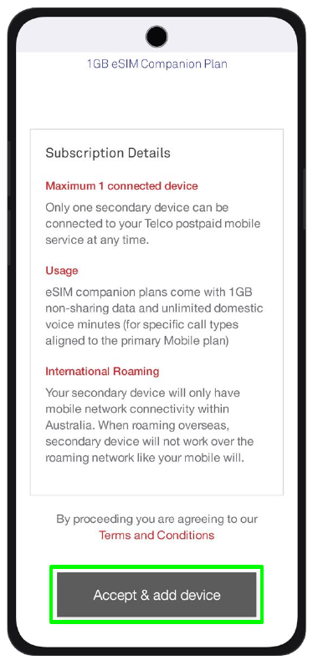
- Accept and add your device. Review the subscription details, then tap ‘Accept & add device’.
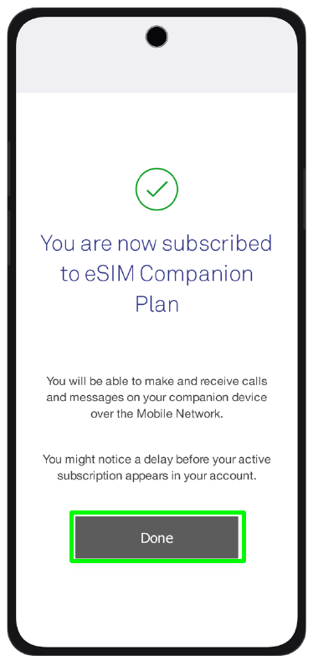
- You’re all set! When you see the confirmation screen, your Galaxy Watch is connected. Tap ‘Done’.
Other smartwatches
If your watch isn’t listed here, please contact our support team before you start. We’ll confirm whether it’s compatible and walk you through it.
Was this article helpful?
That’s Great!
Thank you for your feedback
Sorry! We couldn't be helpful
Thank you for your feedback
Feedback sent
We appreciate your effort and will try to fix the article